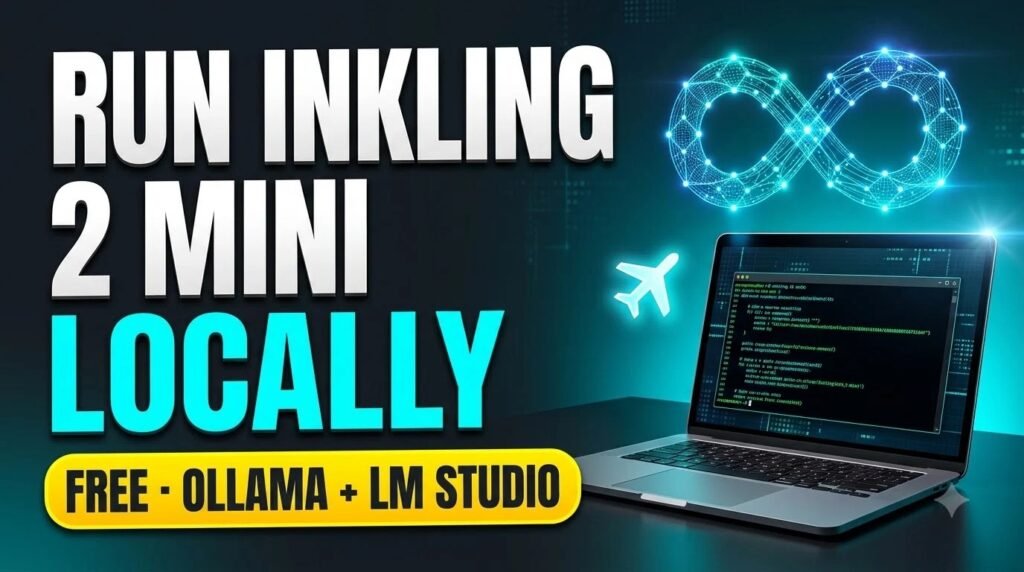

Every few months a “runs on your laptop” model drops and it turns out to need a server rack. This week is different. On November 20, Thinking Machines Lab (Mira Murati’s company) released Inkling 2 Mini, an open-weights model that actually fits on a 32 GB Mac, and on coding benchmarks it’s trading blows with models that are much bigger. The best part: you can run Inkling 2 Mini locally, for free.
No API key and nothing leaves your machine. This guide covers it step by step: what the model is, what hardware you really need, and how to set it up with Ollama or LM Studio in about ten minutes.
Quick answer: Yes, you can run it locally. The download is about 18 to 20 GB, and Thinking Machines recommends a Mac with 32 GB of memory or a GPU with 32 GB of VRAM. With Ollama installed, it’s one command: ollama run inkling-2-mini.
What is Inkling 2 Mini?
Inkling 2 Mini is the smallest model in Thinking Machines’ Inkling family. It’s a Mixture-of-Experts (MoE) model, which means only a small part of it works on each word, and that’s what keeps it fast. The unusual bit is that it’s a looped transformer: instead of stacking more layers, it runs its middle layers three times for every token. You get the “thinking depth” of a bigger model while the file on disk stays small.
| Spec | Inkling 2 Mini |
|---|---|
| Released | November 20, 2026 |
| Total parameters | 26.4B |
| Active per token | 3.4B (about 5.4B effective with looping) |
| Layers | 24 stored, 48 passes per token |
| Context window | Up to 1M tokens |
| Input / output | Text and images in, text out |
| Download size | About 18 to 20 GB |
| License | Apache 2.0 (free for commercial use) |
| Best at | Agentic coding, tool use, document understanding |
How good is it? Benchmarks vs Qwen3.8-27B
The obvious rival is Alibaba’s Qwen3.8-27B, the go-to “best model for a 24 GB GPU” right now. Here’s how Thinking Machines’ published numbers compare:
| Benchmark | Inkling 2 Mini | Qwen3.8-27B |
|---|---|---|
| SWE-bench Verified (coding) | 79.2% | 77.8% |
| DeepSWE v1.1 (agentic coding) | 48.2% | 42.2% |
| BrowseComp (web research) | 79.0% | 61.6% |
| LongBench v2 (long documents) | 66.9% | 52.3% |
| OmniDocBench v1.6 (document reading) | 92.8% | 91.5% |
| MMMU Pro (visual reasoning) | 74.9% | 76.3% |
These are the lab’s own numbers, so treat them as a starting point, not a final verdict. The pattern is still clear: Inkling 2 Mini is strongest at coding agents, research with tools, and long documents. Qwen still edges it on some visual reasoning and complex multi-turn instructions.
Can my computer run Inkling 2 Mini?
| Your machine | Will it work? |
|---|---|
| Mac with Apple Silicon, 32 GB+ unified memory | Yes. This is the officially recommended setup. |
| Mac with 16 or 24 GB | Not recommended. The model alone needs about 18 to 20 GB. |
| Windows / Linux PC, GPU with 32 GB+ VRAM | Yes, recommended. |
| PC with a 24 GB GPU (e.g. RTX 4090) and 32 GB+ RAM | Likely works with part of the model in system RAM, but slower. |
| NVIDIA DGX Spark | Yes, officially supported. |
| Laptop with 8 to 16 GB RAM | No. Use the free online option at the end of this guide. |
One more thing: the 1M-token context is the maximum, not the default. Longer context uses more memory, so start small and increase it only if you need to.
Method 1: Run Inkling 2 Mini locally with Ollama (easiest)
- Download and install Ollama from ollama.com/download (Windows, macOS or Linux). If you already have it, update to the latest version.
- Open a terminal and run the command below. The first run downloads about 18 to 20 GB, so leave it a few minutes.
- When you see the
>>>prompt, start chatting. Type/byeto exit.
ollama run inkling-2-miniOllama lists a few versions (tags). The default is fine for most people:
| Tag | Size | Use it when |
|---|---|---|
inkling-2-mini (latest) | 18 to 20 GB | Default choice |
inkling-2-mini:26b-a5b-iq4_NL | 18 GB | You’re tight on memory |
inkling-2-mini:26b-a5b-nvfp4 | 20 GB | Apple Silicon (MLX format) |
Ask it about an image
Inkling 2 Mini understands images, so you can point it at a screenshot or a scanned document right from the terminal:
ollama run inkling-2-mini "What does this error screenshot say, and how do I fix it? ./error.png"Use it as a free local coding agent
This is where the model shines. Ollama can launch popular coding agents with Inkling 2 Mini as the brain, all running on your machine:
ollama launch opencode --model inkling-2-mini
# or
ollama launch claude --model inkling-2-mini
Method 2: Run it with LM Studio (no terminal needed)
- Install LM Studio and open it.
- Click the Search (Discover) tab and search for Inkling 2 Mini.
- Download the model (about 17.5 GB).
- Go to the Chat tab, pick Inkling 2 Mini from the model dropdown at the top, and wait for it to load.
- Start chatting. You can drag an image into the chat box to ask about it.
Tip: in the model settings, keep the context length at a modest value like 16K or 32K to begin with. A huge context on a 32 GB machine is the most common reason the model loads slowly or crashes. New to LM Studio? My guide on running an Opus-style reasoning model in LM Studio walks through the interface step by step.
Method 3: Call Inkling 2 Mini from your own code
Both Ollama and LM Studio expose an OpenAI-compatible API on your computer, so any app that works with the OpenAI SDK can use your local model instead. Here’s Python with Ollama:
# pip install openai
from openai import OpenAI

client = OpenAI(
    base_url="http://localhost:11434/v1",  # LM Studio: http://localhost:1234/v1
    api_key="ollama",  # any text works, it is not checked locally
)

reply = client.chat.completions.create(
    model="inkling-2-mini",
    messages=[{"role": "user", "content": "Write a Python function that validates an email address."}],
)
print(reply.choices[0].message.content)
Because the model is good at calling tools, it also pairs well with MCP servers. If that’s new to you, read what MCP is and how AI agents use it.
No 32 GB machine? Try it free online
If your laptop doesn’t have enough memory, you can still test Inkling 2 Mini on Tinker, Thinking Machines’ own platform, which offers it for chat and fine-tuning. It’s a good way to see whether the model suits your work before buying hardware.
Limitations to know before you switch
- It doesn’t know as much as big models. Looping makes it think deeper, but it doesn’t add stored knowledge. For fact-heavy questions, give it web search or documents to read (RAG). That’s how Thinking Machines designed it to close the gap. See RAG vs MAG vs CAG for the options.
- Not the best for long chit-chat. Qwen3.8-27B scores higher on multi-turn chat and instructions with lots of constraints.
- Its reasoning is hard to steer. You can’t precisely control how it thinks step by step. It’s built to get the task done, not to follow a format for its thought process.
- Memory is the real limit. On a 32 GB Mac, close Chrome tabs and other heavy apps before loading it.
Inkling 2 Mini vs Qwen3.8-27B: which should you run?
- Pick Inkling 2 Mini for coding agents, long codebases or documents, research with tools, and if you want the fastest responses on a Mac.
- Pick Qwen3.8-27B for general chat, strict instruction following, or if you only have a 24 GB GPU and want everything on the card.
- Best option: install both in Ollama. Switching is one command, and your own tasks are the only benchmark that really matters.
FAQ
Is Inkling 2 Mini free?
Yes. The weights are released under the Apache 2.0 license, so you can download and use it for free, including in commercial projects. Running it locally costs nothing beyond your electricity.
What is the Ollama command for Inkling 2 Mini?ollama run inkling-2-mini. The first run downloads the model, and later runs start almost instantly.
How much RAM does Inkling 2 Mini need?
The model needs about 18 to 20 GB just to load. Thinking Machines recommends 32 GB of unified memory on a Mac, or 32 GB of VRAM on a PC GPU.
Can I run Inkling 2 Mini locally on Windows?
Yes. Install Ollama or LM Studio for Windows and use the same steps. For smooth performance you’ll want an NVIDIA GPU with lots of VRAM (32 GB is recommended). With a 24 GB card it can still run, but part of the model will sit in system RAM and responses will be slower.
Does Inkling 2 Mini work offline?
Yes. After the download, it runs completely offline. Thinking Machines even demoed it building a flight simulator on a MacBook Pro in airplane mode.
Can it read images?
Yes. It accepts text and images as input and replies with text, which makes it useful for screenshots, diagrams and scanned documents.
Is it the same as Inkling 2 Small?
No. Inkling 2 Small is a much larger 594B-parameter model that needs data-center hardware. Inkling 2 Mini is the 26.4B version built for laptops.
Final thoughts
Inkling 2 Mini is one of the first open models where “runs on a laptop” and “good at real coding work” are true at the same time. If you have a 32 GB Mac or a big GPU, it’s worth ten minutes to run Inkling 2 Mini locally and see for yourself. Install Ollama, run one command, and point it at a real task from your project.
Want more free, private AI on your own machine? Try running GLM 5.2 locally or DeepSeek-R1 on your own computer, or browse the best AI tools for developers in 2026.