
1. Introduction
Imagine building a machine learning model without spending hours on feature engineering or hyperparameter tuning TabFM.
That’s exactly what Google Research’s TabFM aims to achieve.
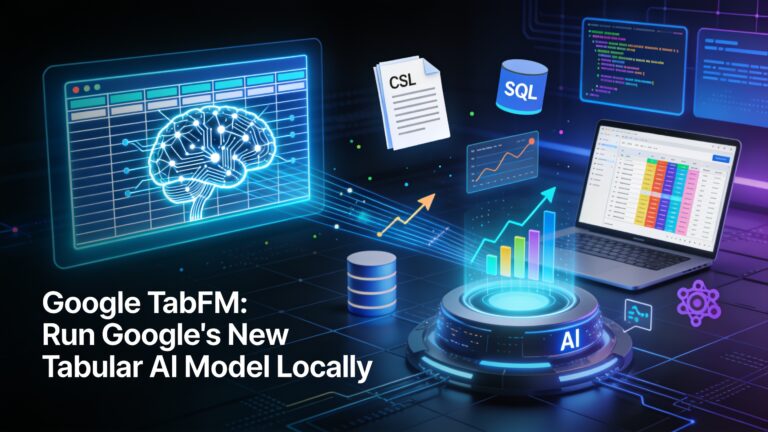
TabFM is an open-source foundation model designed specifically for tabular data—the rows and columns found in spreadsheets, SQL databases, and CSV files. Instead of training a new model from scratch, TabFM uses a pretrained foundation model and in-context learning to make predictions.
Whether you’re working with customer data, sales reports, manufacturing logs, or healthcare records, TabFM makes it easier to build machine learning solutions.
In this guide, you’ll learn:
- What TabFM is
- How it works
- How to install it
- How to run your first prediction
- How it compares with XGBoost and CatBoost
- When you should (and shouldn’t) use it
What is TabFM?
TabFM is Google’s latest Foundation Model for Tabular Data.
Unlike traditional machine learning algorithms that require model training for every dataset, TabFM can perform predictions using a pretrained model together with examples from your dataset.
Think of it as ChatGPT—but designed for spreadsheets instead of text.
It supports:
- Classification
- Regression
- Numerical features
- Categorical features
- Missing values
What is Tabular Data?
Tabular data is information organized into rows and columns.
https://github.com/google-research/tabfm
Example:
| Customer | Age | Income | Purchased |
|---|---|---|---|
| John | 24 | 45000 | Yes |
| Alice | 37 | 72000 | No |
| Mike | 29 | 56000 | Yes |
Almost every SQL database and Excel spreadsheet stores data in this format.
Common examples include:
- Sales reports
- Employee databases
- Banking transactions
- Manufacturing logs
- Medical records
- IoT sensor readings
Why Did Google Build TabFM?
Traditional machine learning has several challenges:
- Selecting the right algorithm
- Feature engineering
- Hyperparameter tuning
- Multiple rounds of model training
TabFM reduces much of this effort by using a pretrained foundation model.
Instead of building a model from scratch, you provide example rows and ask the model to predict the output for new rows.
Traditional Machine Learning Workflow
CSV Dataset
      │
      ▼
Feature Engineering
      │
      ▼
Train Model
      │
      ▼
Hyperparameter Tuning
      │
      ▼
Prediction
TabFM Workflow
CSV Dataset
      │
      ▼
Google TabFM
      │
      ▼
Prediction
Install Google TabFM
Clone the repository:
git clone https://github.com/google-research/tabfm.gitMove into the project:
cd tabfmInstall:
JAX
pip install -e .[jax]CUDA
pip install -e .[jax,cuda]PyTorch
pip install -e .[pytorch]Your First Example
from tabfm import TabFM

model = TabFM()

model.fit(X_train, y_train)

predictions = model.predict(X_test)

print(predictions)
The API is intentionally similar to scikit-learn, making it easy for existing Python developers to adopt.
Classification Example
Suppose you want to predict whether a customer will purchase a product.
| Age | Salary | Purchased |
|---|---|---|
| 25 | 35000 | Yes |
| 42 | 78000 | No |
TabFM can learn from these examples and predict the outcome for new customers.
Regression Example
Predict house prices:
| Area | Bedrooms | Price |
|---|---|---|
| 1200 | 2 | 60L |
| 1800 | 3 | 95L |
Input:
Area = 1500
Bedrooms = 3
Predicted output:
₹82,50,000TabFM vs XGBoost
| Feature | TabFM | XGBoost |
|---|---|---|
| Training Required | Minimal (uses pretrained model with context) | Yes |
| Feature Engineering | Minimal | Usually needed |
| Hyperparameter Tuning | Little or none | Required for best results |
| Classification | Yes | Yes |
| Regression | Yes | Yes |
| GPU Support | Yes | Yes |
| Open Source | Yes | Yes |
Advantages
- Beginner-friendly
- Very little tuning
- Excellent baseline model
- Works with numerical and categorical columns
- Open source
- Familiar scikit-learn style API
Limitations
- Large datasets can require significant memory and become slower.
- It may not outperform a carefully tuned XGBoost or CatBoost model on every dataset.
- It’s not intended for time-series forecasting (Google’s TimesFM targets that use case).
When Should You Use TabFM?
Choose TabFM if you:
- Work with Excel or CSV files
- Have SQL databases
- Need quick machine learning prototypes
- Want to reduce time spent on tuning
- Build business analytics or predictive dashboards
Final Thoughts
Google TabFM represents an exciting step toward foundation models for structured data. By combining a pretrained model with an easy-to-use API, it lowers the barrier to applying machine learning to tabular datasets.
While it won’t replace every traditional algorithm, it’s an excellent tool to benchmark against established methods like XGBoost, LightGBM, and CatBoost—especially when you want to get a strong baseline quickly.
If you regularly work with spreadsheets, SQL databases, or business data, TabFM is worth exploring.
FAQ
Q: Is TabFM free?
Yes. It is open source under Google’s repository.
Q: Does it work on Windows?
Yes, with Python. GPU acceleration depends on your CUDA/JAX or PyTorch setup.
Q: Can I use it with Pandas?
Yes. It accepts tabular data that can be prepared from Pandas DataFrames.
Q: Is it better than XGBoost?
Not always. It often provides a strong baseline with much less tuning, but you should benchmark it against XGBoost or CatBoost for your specific dataset.