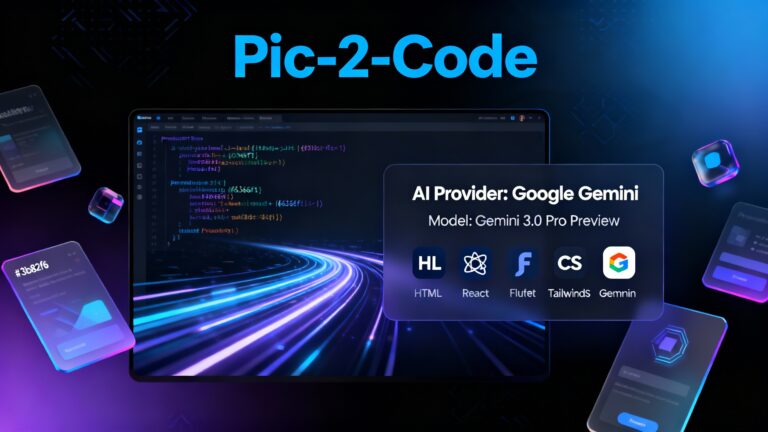

AI Pic-2-Code (Free • Open Source • Frontend-Only • Powered by Google Gemini)
Developers and designers often spend hours converting UI mockups into working code.
To eliminate this repetitive work, I built AI Pic-2-Code, a free, open-source, completely frontend-only AI tool that converts UI screenshots directly into clean, production-ready code.
Yes — no backend, no server, no database.
Everything happens inside your browser with the power of Google Gemini 3 Pro and other optional AI models.
🔗 Live Demo: https://seeb4coding.in/ai/pic-2-code/
🔗 GitHub Repository: https://github.com/seeb4coding/pic-2-code
💡 What Is AI Pic-2-Code?
AI Pic-2-Code is a browser-based AI tool that takes a UI screenshot and instantly generates fully usable code. It supports multiple frameworks, multiple coding languages, and multiple AI models, giving users the ability to pick the best model for their workflow.
This is not a screenshot-to-image tool —
It’s a screenshot-to-code generator.
✨ AI Key Features
🖼️ Convert Screenshot → Code Instantly
Generate high-quality code for:
- HTML + Tailwind CSS
- React (JSX + Tailwind)
- Flutter UI (Dart Widgets)
- React Native Components
Each output is designed to be clean, structured, and ready for production.
⚙️ AI Provider Support (Multi-Model)
Pic-2-Code has a built-in AI settings panel where you can choose your model.
🔹 Google Gemini (Built-in)
Supports:
- Gemini 3.0 Pro (Recommended)
- Gemini 3.0 Pro Preview
- Gemini 2.5 Pro
- Gemini 2.5 Flash
- Gemini 2.5 Flash Thinking
- Gemini 2.0 Flash Lite
You can use your own API key, or enable “System Key Mode” to use the default integrated key.
🔹 OpenRouter (Optional)
For users who want more flexibility, it includes popular OpenRouter models:
- Gemini 2.0 Flash (Free)
- Gemini 2.0 Pro (Free)
- Claude 3.5 Sonnet
- Claude 3 Opus
- DeepSeek R1
- GPT-4o
- Grok 4.1 Fast (Free)
- Qwen 2.5 VL 72B (Free)
Choose what you want — the tool is fully flexible.
🎨 AI Built-In UI Tools for Developers
Pic-2-Code comes with a polished and highly interactive UI:
- Drag & Drop Image Upload
- Inline Image Preview Modal
- Multi-tab Code Viewer (HTML, React, Flutter, RN)
- Settings Modal for selecting AI model & provider
- Color Palette Extraction from image
- Voice Input (Powered by AI)
- Toast Notifications
- Skeleton Loading Animation
- Dark / Light Mode Toggle
This makes the entire workflow smooth and professional.
🧱 Project Structure (Developer-Friendly)
AI-PIC2CODE
│
├── components/
│   ├── Button.tsx
│   ├── CodeViewer.tsx
│   ├── ColorPalette.tsx
│   ├── ExplainModal.tsx
│   ├── Header.tsx
│   ├── ImageModal.tsx
│   ├── SettingsModal.tsx
│   ├── SkeletonLoader.tsx
│   ├── UploadZone.tsx
│   └── VoiceInput.tsx
│
├── services/
│   ├── gemini.service.ts
│   └── openrouter.service.ts
│
├── utils/
│   ├── helpers.ts
│   ├── image.ts
│   └── format.ts
│
├── App.tsx
├── constants.ts
├── types.ts
├── index.tsx
├── index.html
├── metadata.json
├── package.json
├── tsconfig.json
├── .env.local
└── README.md
The architecture is modular and easy to extend for contributors or advanced users.
📥 Installation Guide
1️⃣ Clone the Repository
git clone https://github.com/seeb4coding/pic-2-code
cd ai-pic2code
2️⃣ Install Dependencies
npm install
3️⃣ Add API Keys
Create a .env.local file:
GEMINI_API_KEY=YOUR_GEMINI_API_KEY
OPENROUTER_API_KEY=YOUR_OPENROUTER_API_KEY
4️⃣ Run Locally
npm run dev
5️⃣ Build for Production
npm run build
npm run preview
🌐 Available AI Models (Full List – Ready to Use)
export const AVAILABLE_MODELS = [
  { id: 'gemini-3-pro', name: 'Gemini 3.0 Pro', provider: 'gemini' },
  { id: 'gemini-3-pro-preview', name: 'Gemini 3.0 Pro Preview', provider: 'gemini' },
  { id: 'gemini-2.5-pro', name: 'Gemini 2.5 Pro', provider: 'gemini' },
  { id: 'gemini-2.5-flash', name: 'Gemini 2.5 Flash', provider: 'gemini' },
  { id: 'gemini-2.5-flash-thinking-exp-01-21', name: 'Gemini 2.5 Flash Thinking', provider: 'gemini' },
  { id: 'gemini-2.0-flash-lite-preview-02-05', name: 'Gemini 2.0 Flash Lite', provider: 'gemini' },

  { id: 'google/gemini-2.0-flash-exp:free', name: 'Gemini 2.0 Flash (Free)', provider: 'openrouter' },
  { id: 'google/gemini-2.0-pro-exp-02-05:free', name: 'Gemini 2.0 Pro (Free)', provider: 'openrouter' },
  { id: 'anthropic/claude-3.5-sonnet', name: 'Claude 3.5 Sonnet', provider: 'openrouter' },
  { id: 'anthropic/claude-3-opus', name: 'Claude 3 Opus', provider: 'openrouter' },
  { id: 'deepseek/deepseek-r1', name: 'DeepSeek R1', provider: 'openrouter' },
  { id: 'openai/gpt-4o', name: 'GPT-4o', provider: 'openrouter' },
  { id: 'x-ai/grok-4.1-fast:free', name: 'Grok 4.1 Fast (Free)', provider: 'openrouter' },
  { id: 'qwen/qwen-2.5-vl-72b-instruct:free', name: 'Qwen 2.5 VL 72B (Free)', provider: 'openrouter' },
];
🛣️ Roadmap (Upcoming Features)
- Vue.js Output
- Angular Component Output
- ZIP Export (Complete Project Download)
- Local History (Saved Sessions)
- Custom Tailwind Theme Generator
- AI-powered Code Cleanup
- Plugin Marketplace (Future Vision)
⚡ Built Using Google AI Studio
This entire project was created using Google AI Studio, which allowed seamless integration of Gemini models inside a browser environment.
All AI processing — HTML generation, React formatting, Flutter conversion — is executed via Gemini, without requiring backend servers.
👨💻 Author
seeb4coding.in
📧 support@seeb4coding.in
🌐 https://seeb4coding.in
⭐ Support This Project
If you like this tool, please give a ⭐ on GitHub.
It helps the project grow and reach more developers!