
AI coding assistants have changed the way developers build software.
Tools such as Claude Code, Codex, Cursor, Gemini CLI, GitHub Copilot, Cline, and other coding agents can read a repository, execute commands, inspect errors, modify files, run tests, and repeat the process until a task is complete.
That power comes with a problem:
AI coding agents can consume a lot of tokens.
And surprisingly, the model is not always spending those tokens on useful reasoning.
A large amount of context can come from things like:
- Git output
- Build logs
- Test results
- Directory listings
- Search results
- Stack traces
- Repeated command output
- Verbose explanations from the AI itself
This is where two interesting open-source projects come into the picture:
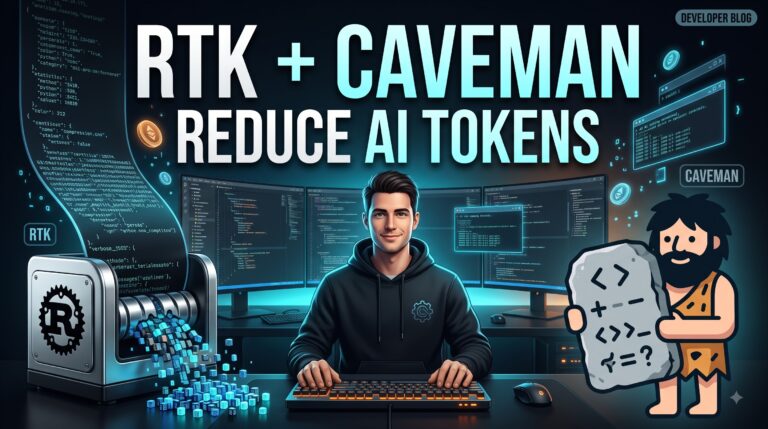
RTK (Rust Token Killer) and Caveman.
They attack the problem from different directions.
RTK tries to make terminal output smaller before it reaches the AI model.
Caveman tries to make the AI’s own responses shorter.
Together, the idea is simple:
Give the AI less unnecessary text while keeping the important technical information.
But there is an important reality check: the large token-saving percentages advertised by these projects do not automatically translate into the same percentage reduction in your total AI bill. Independent testing on real agentic workloads has found much smaller savings in some cases.
Let’s understand how they actually work.
What Is RTK?
RTK stands for Rust Token Killer.
It is an open-source CLI proxy written in Rust that filters and compresses command-line output before the output is passed back into an AI coding agent.
The RTK project reports 60–90% reduction in Bash output for common development operations. Importantly, the project itself explains that these percentages describe command-output reduction, not a guaranteed reduction in your overall AI bill.
The basic problem looks like this:
AI Agent
   |
   | runs command
   v
git status
   |
   v
Large terminal output
   |
   v
AI receives everything
With RTK:
AI Agent
   |
   | runs command
   v
RTK
   |
   | filters/compresses
   v
Smaller output
   |
   v
AI receives useful information
The important point is that RTK doesn’t make the AI model itself smaller.
It reduces the amount of command output entering the model’s context.
Why Terminal Output Can Waste Tokens
Imagine an AI agent is working on a JavaScript project.
It runs:
git status
The normal command might return several lines describing the repository state.
An AI usually doesn’t need every piece of formatting and boilerplate.
It mostly needs something like:
M src/server.js
M src/routes/user.js
?? src/utils/logger.js
The same problem becomes much more obvious with commands such as:
npm test
or:
find .
or:
git log
or:
cargo test
A test suite might produce hundreds or thousands of lines.
Most of those lines may simply say that individual tests passed.
For a human developer, that output may be useful when debugging.
For an AI agent, repeatedly putting the entire output into context can be wasteful.
RTK attempts to preserve the useful signal while removing some of the noise.
How RTK Works
RTK provides optimized versions of common development commands.
For example:
rtk git status
Instead of:
git status
Similarly, RTK can process commands such as:
rtk git log
rtk git diff
rtk ls
rtk find
rtk grep
and many development/test-related commands.
The goal is not to change what your command does.
The goal is to change how much of its output the AI has to consume.
RTK Automatic Mode
Manually typing:
rtk git status
every time would be inconvenient.
That’s why RTK provides an automatic rewrite hook.
After initialization:
rtk init -g
supported agent workflows can transparently rewrite commands such as:
git status
into an RTK-processed version.
The current RTK documentation says its native Windows hook works with Command Prompt, PowerShell, and Windows Terminal, while WSL is also supported.
Installing RTK
RTK provides pre-built binaries for Windows, macOS, and Linux.
For Windows, the project provides an:
rtk-x86_64-pc-windows-msvc.zip
binary package.
After downloading and extracting the executable, make sure rtk.exe is available through your PATH.
Then verify:
rtk --version
You can also check its statistics with:
rtk gain
The RTK documentation recommends initializing the integration with:
rtk init -g
Then restart your AI coding agent.
RTK With Codex
RTK also supports Codex integration.
The project documents:
rtk init -g --codex
for Codex.
Other supported integrations include agents such as:
rtk init -g --gemini
rtk init -g --agent cursor
rtk init --agent windsurf
rtk init --agent cline
The exact integration behavior can change as these tools evolve, so it is worth checking the RTK repository before installing.
What Is Caveman?
Now let’s look at the second half:
Caveman.
Caveman takes a completely different approach.
RTK reduces tool/terminal output.
Caveman reduces the AI agent’s natural-language output.
Its philosophy is intentionally simple:
“Why use many token when few do trick.”
Caveman is distributed as a skill/plugin for many AI coding agents and instructs the agent to communicate using concise, compressed prose while keeping code, commands, and error messages intact.
Normal AI Response vs Caveman Style
Suppose you ask an AI agent:
Why is my API returning a 401 error?
A normal response might be:
The API is returning a 401 Unauthorized response because
the authentication middleware is not receiving a valid JWT token.
You should first verify that the Authorization header is being
sent correctly and then check whether the token has expired.
Caveman-style output might be:
401 = invalid/missing JWT.

Check:
1. Authorization header
2. JWT expiry
3. Server secret

Fix header first.
Same basic information.
Less prose.
Less filler.
Less reading.
What Caveman Changes
Caveman is designed to remove things such as:
- unnecessary introductions
- repeated explanations
- filler words
- excessive politeness
- unnecessary hedging
- verbose summaries
For example:
Instead of:
Sure! I've gone ahead and reviewed the code. Based on what
I found, the main issue appears to be that your database
connection is timing out because the connection pool is
being exhausted.
A compressed response could be:
DB pool exhausted → connection timeout.

Increase pool size or fix unreleased connections.
The code itself remains normal.
Commands remain normal.
Error messages remain exact.
Only the surrounding explanation becomes shorter.
Installing Caveman
Caveman provides a unified installer.
For Windows PowerShell:
irm https://raw.githubusercontent.com/JuliusBrussee/caveman/main/install.ps1 | iex
The current installer requires PowerShell 5.1+ and Node.js 18 or newer. It detects supported AI coding agents and installs the appropriate integration.
For macOS, Linux, WSL, or Git Bash:
curl -fsSL https://raw.githubusercontent.com/JuliusBrussee/caveman/main/install.sh | bash
Installing Caveman for Claude Code
You can install the Claude Code plugin directly:
claude plugin marketplace add JuliusBrussee/caveman
claude plugin install caveman@caveman
Then restart Claude Code.
You can activate the mode with:
/caveman
The project also documents modes such as:
/caveman lite
/caveman full
/caveman ultra
and additional commands for commits, reviews, statistics, and compression.
Installing Caveman for Codex
Caveman can also be installed through the skills mechanism:
npx skills add JuliusBrussee/caveman -a codex
Depending on the integration, activation behavior differs.
The project’s installation matrix documents Codex as a per-session /caveman integration, while some other agents use rules or plugins.
RTK + Caveman Together
Now we get to the interesting part.
RTK and Caveman don’t solve exactly the same problem.
Think about an AI coding session:
                 AI Coding Agent
                       |
          ┌────────────┴────────────┐
          |                         |
          v                         v
   Tool/Terminal Output       AI Response
          |                         |
          v                         v
         RTK                    Caveman
          |                         |
          v                         v
   Compact tool data          Compact prose
          |                         |
          └────────────┬────────────┘
                       |
                       v
                  AI Context
RTK says:
“Don’t send unnecessary terminal noise.”
Caveman says:
“Don’t generate unnecessary prose.”
That’s why the combination is interesting.
A Simple Example
Imagine your AI agent is fixing a Node.js application.
It runs:
git status
Without RTK:
On branch main
Your branch is up to date with origin/main.

Changes not staged for commit:
  modified: src/server.js
  modified: src/database.js
  modified: src/routes/user.js

Untracked files:
  src/utils/logger.js
With RTK, the agent may receive a much more compact representation:
M src/server.js
M src/database.js
M src/routes/user.js
?? src/utils/logger.js
Then the AI responds.
Without Caveman:
I've checked the repository status and found three modified
files along with one new untracked file. The files appear to
be related to the server, database, user routes, and logging
functionality.
With Caveman:
3 modified + 1 new file.

Server, DB, user routes, logger.
Now both sides are compressed.
Does This Really Save 60–90% of Your AI Bill?
This is where you should be careful.
You will often see claims such as:
RTK → 60–90%
Caveman → 65%
Those numbers need context.
RTK’s own documentation explicitly says its 60–90% figure refers to Bash output reduction, not total billing.
Caveman’s project advertises around 65% fewer output tokens for its compressed responses.
But an AI coding session contains much more than terminal output and conversational prose.
For example:
System instructions
        +
Your prompt
        +
Previous context
        +
Source code
        +
Tool calls
        +
Tool results
        +
Reasoning
        +
AI response
RTK and Caveman only directly target parts of that pipeline.
Independent Testing Gives a More Realistic Picture
This distinction is important.
JetBrains independently tested Caveman on real agentic coding workloads and reported approximately 8.5% output-token savings, rather than the advertised 65%. Their explanation is that coding-agent output contains lots of code, tool calls, and other material that Caveman intentionally leaves unchanged.
JetBrains also tested RTK and reported that the result depended heavily on the workload. In their benchmark, RTK did not produce the advertised 60–90% overall token savings; at low reasoning effort they measured higher cost, while at high reasoning effort the difference was approximately neutral.
Another independent analysis using a large corpus of Claude Code sessions estimated that RTK and Caveman together produced only a few percent reduction in total spend.
So the right conclusion isn’t:
“RTK + Caveman will reduce my AI bill by 90%.”
A better conclusion is:
RTK and Caveman can reduce specific categories of token usage, but your actual savings depend heavily on your workload.
Why the Difference Is So Large
Consider an AI coding session where the model reads:
20,000 tokens of source code
+
10,000 tokens of previous context
+
5,000 tokens of tool output
+
2,000 tokens of AI explanation
Total:
37,000 tokens
Suppose RTK cuts the tool output by 70%:
5,000 → 1,500
And Caveman cuts the AI prose by 50%:
2,000 → 1,000
New total:
20,000
+
10,000
+
1,500
+
1,000

= 32,500 tokens
That’s a meaningful reduction.
But it isn’t a 70% reduction in the entire session.
That’s the key concept.
The Biggest Benefit May Not Be Cost
There is another benefit that is easy to overlook.
Context quality.
AI agents have finite context windows.
If unnecessary output keeps accumulating, the useful information can become harder to manage.
Reducing noise can help keep the conversation focused on:
Problem
   ↓
Relevant code
   ↓
Relevant output
   ↓
Decision
   ↓
Fix
instead of:
Problem
   ↓
Huge log
   ↓
More logs
   ↓
Repeated explanations
   ↓
Huge test output
   ↓
Another explanation
   ↓
Actual fix
So token optimization is not only about money.
It can also be about signal-to-noise ratio.
When RTK Is Most Useful
RTK is particularly interesting when your AI agent frequently runs commands that generate large amounts of output.
Examples include:
git log
git diff
git status
find
grep
rg
npm test
cargo test
pytest
docker logs
If your project produces huge logs, RTK may be worth testing.
For small projects with very little terminal output, the benefit may be much smaller.
When Caveman Is Most Useful
Caveman makes more sense when your AI agent tends to write long explanations.
For example:
"Here is what I found..."

"Let me explain..."

"To summarize..."

"One important thing to note..."
If you already prefer concise developer-to-developer communication, Caveman’s biggest benefit may simply be convenience.
Instead of asking:
Be concise.
every few turns, you can make that behavior part of the agent’s workflow.
Is Caveman Safe for Code?
The important design principle is that Caveman is intended to compress prose, not alter technical artifacts.
That means you don’t want this:
const authenticationMiddleware = ...
turned into:
const authMid = ...
just because the agent is trying to save tokens.
The Caveman project explicitly describes preserving code, commands, and errors byte-for-byte while compressing the surrounding prose.
That distinction matters.
RTK Limitations
RTK isn’t magic.
For example, if your AI agent uses built-in file-reading or search tools rather than shell commands, those operations may not pass through RTK’s Bash hook.
The RTK documentation specifically notes that built-in tools such as Read, Grep, and Glob can bypass the Bash hook.
So don’t assume:
RTK installed
      =
Everything compressed
It doesn’t work that way.
RTK primarily helps where its integrations can intercept and filter the relevant command output.
Caveman Limitations
Caveman has a similar limitation.
If the majority of your token usage comes from:
source code
+
tool calls
+
large files
+
context
+
reasoning
then shortening the AI’s conversational sentences won’t dramatically reduce total usage.
For example:
"Done. Fixed the bug."
is already tiny.
There isn’t much left to compress.
Should You Install Both?
For developers who frequently use AI coding agents, I think RTK + Caveman is worth experimenting with, but I would measure your own workload instead of trusting headline percentages.
A good approach is:
1. Measure current usage
2. Install RTK
3. Work normally
4. Measure again
5. Add Caveman
6. Measure again
7. Compare quality + tokens + cost
Don’t optimize something you haven’t measured.
Recommended Setup
For a developer using multiple AI coding tools, a practical setup could look like:
                    Your Project
                         |
                         v
                AI Coding Agent
                         |
             ┌───────────┴───────────┐
             |                       |
             v                       v
           RTK                   Caveman
      Tool output              AI prose
      compression             compression
             |                       |
             └───────────┬───────────┘
                         |
                         v
                    AI Model
For example:
Claude Code
     +
RTK
     +
Caveman
or:
Codex
     +
RTK
     +
Caveman
or:
Cursor
     +
RTK
     +
Caveman
Both projects currently document integrations with multiple coding agents.
A Simple Windows Setup
If you’re a Windows developer, a basic experiment can be done like this.
Step 1 — Install RTK
Download the Windows RTK binary, place rtk.exe somewhere on your PATH, and verify:
rtk --version
Then initialize:
rtk init -g
Restart your AI coding agent.
Step 2 — Install Caveman
Open PowerShell:
irm https://raw.githubusercontent.com/JuliusBrussee/caveman/main/install.ps1 | iex
Then restart your coding agent.
For supported integrations, activate it using:
/caveman
The current Caveman installer supports multiple agents and provides agent-specific installation methods.
Step 3 — Test
Ask your AI agent to perform a normal development task:
Inspect the project, find the API authentication bug,
fix it, and run the tests.
Then compare:
Before RTK + Caveman
        ↓
Tokens / cost / task time

After RTK + Caveman
        ↓
Tokens / cost / task time
How to Measure Properly
Don’t measure only one command.
A better test uses several real tasks:
Task 1
Find and fix a bug.
Task 2
Add a REST API endpoint.
Task 3
Refactor an existing module.
Task 4
Run tests and fix failures.
Task 5
Investigate a production-style error log.
Then compare:
| Metric | Without | RTK | RTK + Caveman |
|---|---|---|---|
| Input tokens | — | — | — |
| Output tokens | — | — | — |
| Total tokens | — | — | — |
| Cost | — | — | — |
| Task time | — | — | — |
| Task quality | — | — | — |
This gives you a much better answer than a marketing percentage.
RTK vs Caveman
| Feature | RTK | Caveman |
|---|---|---|
| Main purpose | Compress tool output | Compress AI prose |
| Written in | Rust | Skill/plugin ecosystem |
| Reduces terminal noise | ✅ | ❌ |
| Reduces AI explanations | ❌ | ✅ |
| Works with coding agents | ✅ | ✅ |
| Helps context efficiency | ✅ | ✅ |
| Guaranteed 60–90% total savings | ❌ | ❌ |
| Worth testing | ✅ | ✅ |
RTK + Caveman in One Sentence
If you remember only one thing from this article, remember this:
RTK makes the computer talk less to the AI; Caveman makes the AI talk less to you.
That’s the entire idea.
Final Thoughts
AI coding agents are becoming increasingly capable, but token efficiency is becoming an important part of AI-assisted development.
The solution isn’t always to use a smaller model.
Sometimes the better approach is simply:
Don’t send unnecessary information to the model.
RTK attacks unnecessary terminal output.
Caveman attacks unnecessary natural-language output.
That makes the combination interesting:
Less terminal noise
        +
Less AI verbosity
        =
More focused AI coding sessions
However, developers should keep expectations realistic.
The advertised percentages describe specific types of compression, not guaranteed savings on your entire AI bill. Independent real-world testing has shown that overall savings can be substantially smaller and workload-dependent.
The best approach is therefore simple:
Install → measure → compare → keep only what actually helps.
For developers who spend hours every day working with AI coding agents, even modest improvements can be worthwhile.
And if nothing else, there is something satisfying about the philosophy:
AI brain big.

Terminal mouth noisy.

AI mouth verbose.

RTK make terminal quiet.

Caveman make AI mouth quiet.

Developer happy.
Useful Resources
RTK — Rust Token Killer
Caveman
RTK Documentation
RTK README and installation guide
Caveman Installation Guide
Independent RTK benchmark
JetBrains RTK token-savings test
Independent Caveman benchmark
JetBrains Caveman token-savings test