
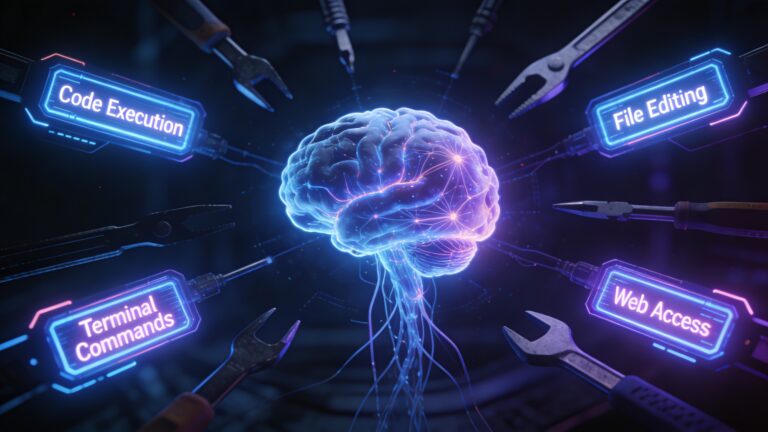

Context: This analysis is based on the publicly exposed source snapshot of Claude Code (March 31, 2026), obtained via embedded source maps in the npm package. This post focuses exclusively on the Tool System — the engine that gives Claude its ability to act in the real world: executing shell commands, editing files, fetching the web, and spawning AI agents.
🚀 Introduction
Modern AI systems are no longer limited to generating text—they can interact with the real world. Claude Code achieves this through its Tool System, which allows the model to:
- Execute shell commands
- Read/write files
- Fetch web content
- Spawn sub-agents
- Integrate third-party plugins
At its core, this system transforms Claude from a chatbot into an autonomous execution engine.
🧠 What Are Tools in Claude Code?
A Tool is an executable capability that Claude can invoke during a conversation.
🔄 Tool Execution Flow
User → Claude → Tool Call → Execution → Result → Claude → ResponseKey Concept
Claude doesn’t directly execute actions. Instead, it emits structured blocks like:
{
  "tool_use": {
    "name": "BashTool",
    "input": { "command": "ls" }
  }
}
The system executes this and feeds the result back to the model.
🏗️ Tool Architecture Overview
Claude’s tool system is built around a strict interface contract.
Core Responsibilities of Every Tool
- Input validation
- Permission checking
- Execution (
call) - Output formatting
- Security classification
Key Design Insight
Every tool must define:
call()→ executes logicvalidateInput()→ ensures safe inputscheckPermissions()→ enforces securityisReadOnly()/isDestructive()→ classification
🛡️ Fail-Safe Design with buildTool()
Claude uses a factory pattern called buildTool() to enforce defaults.
🔐 Security Philosophy: Fail-Closed
If a tool doesn’t define behavior:
- ❌ Not concurrency safe
- ❌ Not read-only
- ❌ Not destructive
- ✅ Permissions default to allow (important nuance)
👉 This means developers must explicitly secure tools—or they risk being overly permissive.
📦 Tool Categories
Claude Code includes 40+ built-in tools, grouped into major categories:
🖥️ System & File Tools
- BashTool
- FileReadTool
- FileEditTool
- FileWriteTool
🔍 Search Tools
- GrepTool
- GlobTool
🌐 Web Tools
- WebFetchTool
- WebSearchTool
🤖 AI Orchestration
- AgentTool
- SkillTool
🔌 Integration Tools
- MCPTool (third-party plugins)
📋 Task & Team Tools
- TaskCreate / TaskUpdate
- TeamCreate / SendMessage
🔥 Critical Tool Breakdown
🔴 BashTool — Shell Execution
Risk Level: Critical
- Executes real system commands
- Protected by 23 security validators
- Prevents:
- Command injection
- Unicode whitespace tricks
- Dangerous substitutions
👉 Despite this, it relies on text-based validation, not full parsing.
🟠 FileEditTool — Safe File Modification
Key Security Feature:
✔ Requires file to be read before editing
This prevents:
❌ Blind overwrite attacks
Also includes:
- File size limits
- Timestamp validation (TOCTOU protection)
- Secret detection
🟠 FileWriteTool — Powerful but Risky
Unlike FileEditTool:
- ❌ No prior-read requirement
- ✔ Can overwrite entire files
⚠️ This makes it a potential attack vector if misused.
🟡 WebFetchTool — Controlled Internet Access
Features:
- Domain-based permission system
- Pre-approved trusted sources
- Redirect blocking across domains
👉 Prevents silent redirection attacks.
🟠 AgentTool — Sub-Agent System
Claude can spawn independent AI agents.
Capabilities:
- Parallel execution
- Background tasks
- Worktree isolation
⚠️ Risk:
Sub-agents run in auto-accept mode by default →
They can modify files without prompting.
🟠 MCPTool — Third-Party Plugins
Allows integration with external systems.
⚠️ Major Risk:
- External servers can inject responses directly
- No sanitization before reaching Claude
👉 This is the largest trust boundary in the system.
🔐 Security Insights
🔴 Critical Risks
1. Shell Execution (BashTool)
Even with 23 checks, complex shell syntax may bypass protections.
2. Sub-Agent Privilege Escalation
Sub-agents can silently edit files if permissions allow.
3. File Overwrite (FileWriteTool)
No requirement to read files before writing.
🟠 High Risks
- MCP tool response injection
- Missing security classifier overrides
- Unsanitized inter-agent communication
🟡 Medium Risks
- Same-domain redirect abuse
- Tool discovery timing leaks
- Working directory overrides
🧩 Permission System Explained
Claude uses a universal permission model:
| Mode | Behavior |
|---|---|
| default | Ask for sensitive actions |
| plan | Read-only mode |
| auto | AI decides |
| bypass | No prompts |
👉 Important:
Even in bypass mode, security validators still run.
⚙️ Feature Flags & Tool Availability
Not all tools are always active.
They are controlled by:
- Environment variables
- Feature flags
- User type (internal vs public)
Example:
CLAUDE_CODE_SIMPLE=true
→ Only basic tools enabled (safe mode)
🧠 Key Takeaways
- Claude’s tool system turns AI into an action engine, not just a text generator
- Security is enforced through:
- Validation
- Permissions
- Execution control
- The biggest risks come from:
- Shell execution
- External integrations (MCP)
- Autonomous agents
🎯 Final Thoughts
Claude Code’s tool system is a powerful but double-edged architecture.
It enables:
✅ Automation
✅ Multi-agent workflows
✅ Real-world interaction
But also introduces:
⚠️ Security risks
⚠️ Trust boundaries
⚠️ Complex permission challenges